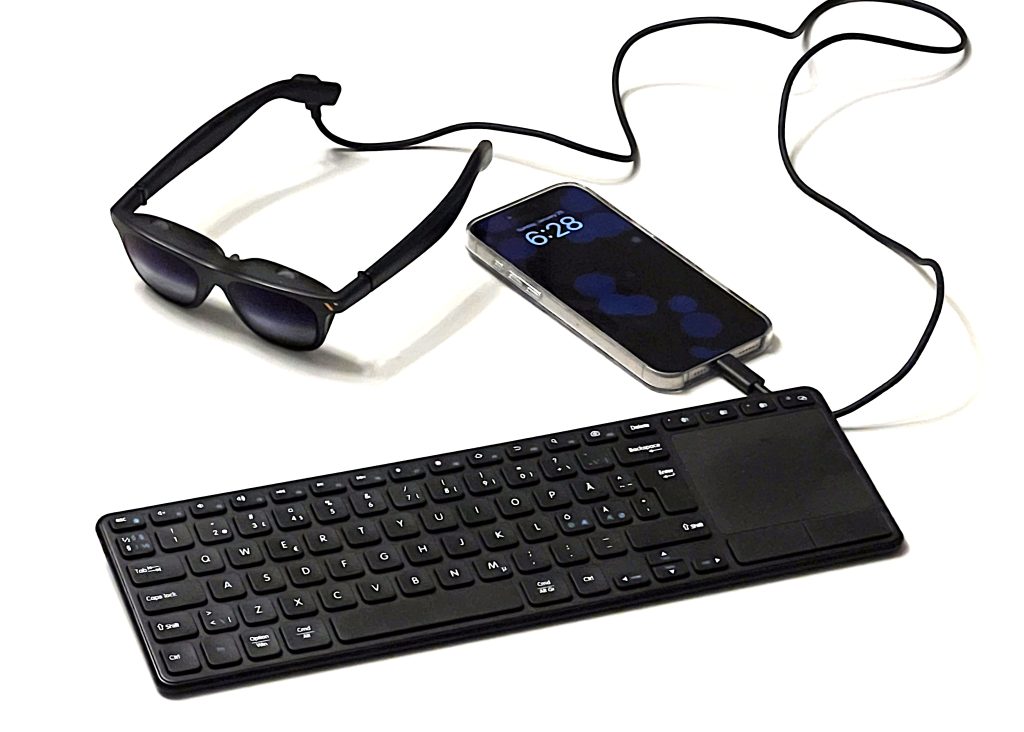
I get asked about this more often than I expected, so although a post like this will likely age very quickly (as I always upgrade my tech stacks) I thought it would make sense to document my daily AR stack for productivity.
I use AR glasses as a portable external monitor that fits in a small pouch – paired with a phone, compact keyboards of different sizes, and browser-based tools. It’s not a conventional setup, but I’ve stopped optimising for appearances over throughput. I get hours back and I don’t lose context of what’s around me.
That last part is the bit that matters.
The problem I’m actually solving
Most productivity tools demand your full attention. Laptop open, head down, world blocked out. AR, when it works, inverts that: information stays with you without forcing you to leave the environment you’re in.
I’ve come to think of “heads-down moments” as the real cost – the context switch, the reorientation, the tax you pay every time you look away. This isn’t just a personal productivity observation. It’s the same problem we’re solving at Distance Technologies, just in environments where the cost is measured in risk rather than minutes.
When I use it (and when I don’t)
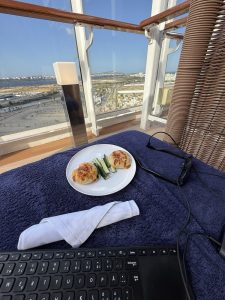
This setup isn’t a replacement for a real workstation. It’s not trying to be.
It fills the gap between “full laptop” and “squinting at a phone in my hand for thirty minutes.” I get real screen space and proper input without the laptop ritual or the neck strain from sustained phone use. My recurring use-cases:
Morning walks. Mostly reading, thinking, reviewing, capturing notes. I keep walking use limited to low-cognitive-load tasks only – light work, not deep focus.
Travel. This is the big one. Increasingly, I don’t bring a laptop at all – the phone is often enough for the category of work I want to do while moving.
Transit. Plane, car (obviously only as a passenger in a moving car), waiting at gates. Waiting during delays or appointments. Waiting to pick someone up.
Summer and outdoors. Working outdoors, where laptop posture and glare are both worse than they need to be.
I still do most of my serious work at a desk. Sometimes I plug the glasses into a laptop if I have one with me – not because the phone can’t handle the basics, but because a laptop still wins for heavier multitasking and certain development workflows. But the hours I’ve clawed back from “dead” time add up. On average around 350 minutes per week – that’s over 300 hours per year, or roughly seven full work weeks of compounded impact.
The hardware stack
Phone as compute. My iPhone (currently a 16 Pro Max) is the computer. The model doesn’t matter much – modern phones are plenty capable if you stay browser-first and cloud-assisted. Battery reality: I budget roughly four to five hours of glasses use from the phone alone, then switch to an external battery pack.
A note on phone security: if you’re doing real work on a mobile device, treat it like a work machine. I run a managed device profile, use hardware security keys where possible, and keep the attack surface minimal – no random apps, no sideloading, regular audits of what has access to what. The phone is the weakest link in this setup, so it gets the most scrutiny.
Display. I’m currently using VITURE Pro XR glasses as my portable monitor – a 120Hz panel that presents as a large private virtual display.
The key trade-off (and the one I get asked about most): for security and simplicity reasons, I often run them as “dumb” USB-C displays. No vendor app, no extra software, no fancy modes. Just DisplayPort-over-USB-C video output. (I’ll use “OPSEC” – operational security – as shorthand for this security posture throughout.)
One limitation of my current VITURE Pro: in dumb display mode there’s no stabilisation while walking. This is improving – newer glasses like the XREAL One Pro offer stabilisation even in basic USB-C mode. For now I can live with it, because my walking use-case is light – mostly read, think, skim. But it’s a key thing to check if you’re choosing hardware.
Input. Non-negotiable. Glasses without real input devolve into a giant phone screen for media.
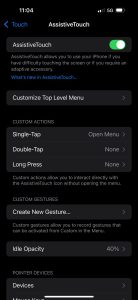
I use a compact Bluetooth keyboard that includes a touchpad, and I enable iOS’s accessibility support so the touchpad behaves as a pointer device. The setting lives in Settings → Accessibility → Touch → AssistiveTouch → Devices → Bluetooth Devices, then pair the pointer device.
This one setting is what makes the setup feel computer-like instead of phone-like.
Power. A spare battery pack. Not glamorous, but it’s what turns the system from clever demo into reliable tool. There’s an interesting 2026 trend toward AR-specific docks that combine battery and video passthrough.
The software stack: browser-first by design
I use Brave because it gives me a more desktop-like feel and I spend most of my time in web tooling. I’m not trying to turn my phone into a perfect laptop – I’m trying to make it a credible thin client.
The killer feature is simply that the browser is the OS: tabs, sessions, web apps, authenticated tools, and fast context switching.
What I actually do inside the browser:
- GitHub – reviewing agent-generated PRs, commenting with precision, approving or requesting changes. This is the bulk of what “code work” looks like for me now – writing code from scratch accounts for maybe 1% of my time on this setup.
- Coding agents (Claude Code, Codex, etc.) for review, refactors, planning, quick patches, and “get me unstuck” tasks
- Cloud documents and spreadsheets – browser-based, nothing installed
- Email, Slack, Linear – the usual coordination layers
- Ops dashboards – site monitoring, Grafana, and Zabbix through a VPN connection. A dashboard on a big virtual screen is qualitatively different from peeking at it on a phone – the value is keeping visibility without needing a desk.
And when the browser is not enough:
- Remote desktop – RDP over VPN gives me a full desktop session on the glasses. When a task outgrows the browser, this is the escape hatch: real desktop, real applications, no laptop required.
That last point is the setup’s quiet superpower. It turns the phone from a thin client into a full workstation.
Two modes: simple versus capable
I mentally treat AR productivity as two separate configurations.
Mode A: OPSEC-simple (dumb USB-C display). This is the setup when I want minimal software footprint, fewer moving parts, fewer device permissions, predictable behaviour. Just external display plus keyboard plus browser.
The drawback is exactly what you’d expect: less spatial magic. No pinned screens. No fancy multi-screen. With older glasses like my current VITURE Pro, walking means the display moves with your head rather than staying stabilised.
Mode B: Feature mode (multi-screen, pinning, head tracking). If you want the richer experience, vendor software stacks like VITURE’s SpaceWalker support multi-screen workflows and 3DoF pinning modes.
The good news: this trade-off is becoming less binary. Newer glasses are pushing more features into the hardware itself – dedicated spatial chips that handle stabilisation without requiring vendor apps. The XREAL One Pro, for example, offers head-tracking stabilisation in dumb USB-C mode. That’s a meaningful shift: you get some of the “spatial” benefits without handing over device permissions to a third-party app.
I don’t use Mode B myself – the OPSEC trade-off isn’t worth it for my current setup. But if you’re choosing a device today, this is worth investigating: how much capability lives in the hardware versus the software? The more that’s baked into the glasses themselves, the less you’re forced to choose between features and a minimal software footprint.
The category is maturing in the right direction here.
Limitations
This stack is useful precisely because I’m realistic about where it fails.
Battery is finite. Plan for it. Assume heavy brightness plus video-out will drain faster than you want. I get around four to five hours on phone battery alone; with a battery pack, I can cover a full day away from power sources.
Cables are still annoying. USB-C is better than it used to be, but tethering is tethering. I use a small shoulder bag to hold the phone and battery when I need full mobility – keeps the cable management contained and hands free.
Walking plus text isn’t a free lunch. Even if you can, it doesn’t mean you should.
Ergonomics matter. AR glasses sit on your nose and ears for hours. If they’re too heavy or the fit is off, you’ll get uncomfortable over time. Weight and balance matter more than specs suggest.
Social optics are real. I’ve stopped worrying about it, but I do choose contexts where it’s reasonable. I avoid using the glasses at the office, for example – I prioritise approachability and being present with colleagues. There’s something to be said for 2026 being a year where we’re all recalibrating what “being present” means. More screen time, more AI assistance, more asynchronous everything. That makes the moments of genuine human connection more valuable, not less. I’d rather be fully there for a conversation than half-there.
What I’m watching for an upgrade
My current glasses are good enough, but the category is moving fast. 1200p micro-OLED panels are now common, and the difference in text readability is immediate. Hardware-level screen stabilisation – the screen staying anchored in space without needing a vendor app – is shipping from both XREAL and VITURE. Battery docks that combine power and video passthrough are closing the cable-spaghetti gap. If you’re shopping for glasses right now, my main advice is to check how much of the feature set lives in the hardware itself versus what requires installing an app ecosystem. If you care about keeping a minimal security posture, that distinction matters more than any spec on the box.
Why this matters
Most productivity tools demand that you leave your environment to engage with them. A good AR workflow inverts that: information comes to you without forcing you out of the world you’re in.
What surprised me about this setup isn’t the technology – it’s what happens to the rest of my day when I stop losing the in-between moments. The twenty minutes before a meeting. The cab ride that used to be dead time. The morning walk where an idea gets captured instead of forgotten. None of those moments are dramatic on their own. But they’re the ones that were quietly disappearing – and the cost of losing them compounds in ways you don’t notice until you get them back. It’s almost chaos-theory-like – butterfly effects applied to productivity. An insight captured becomes a decision made earlier. A thread reviewed on the move means one less bottleneck tomorrow. The gains are small and invisible in isolation, but they cascade.